¶ Stripe Payment Flow
How do I make payments with Stripe in the widget application?
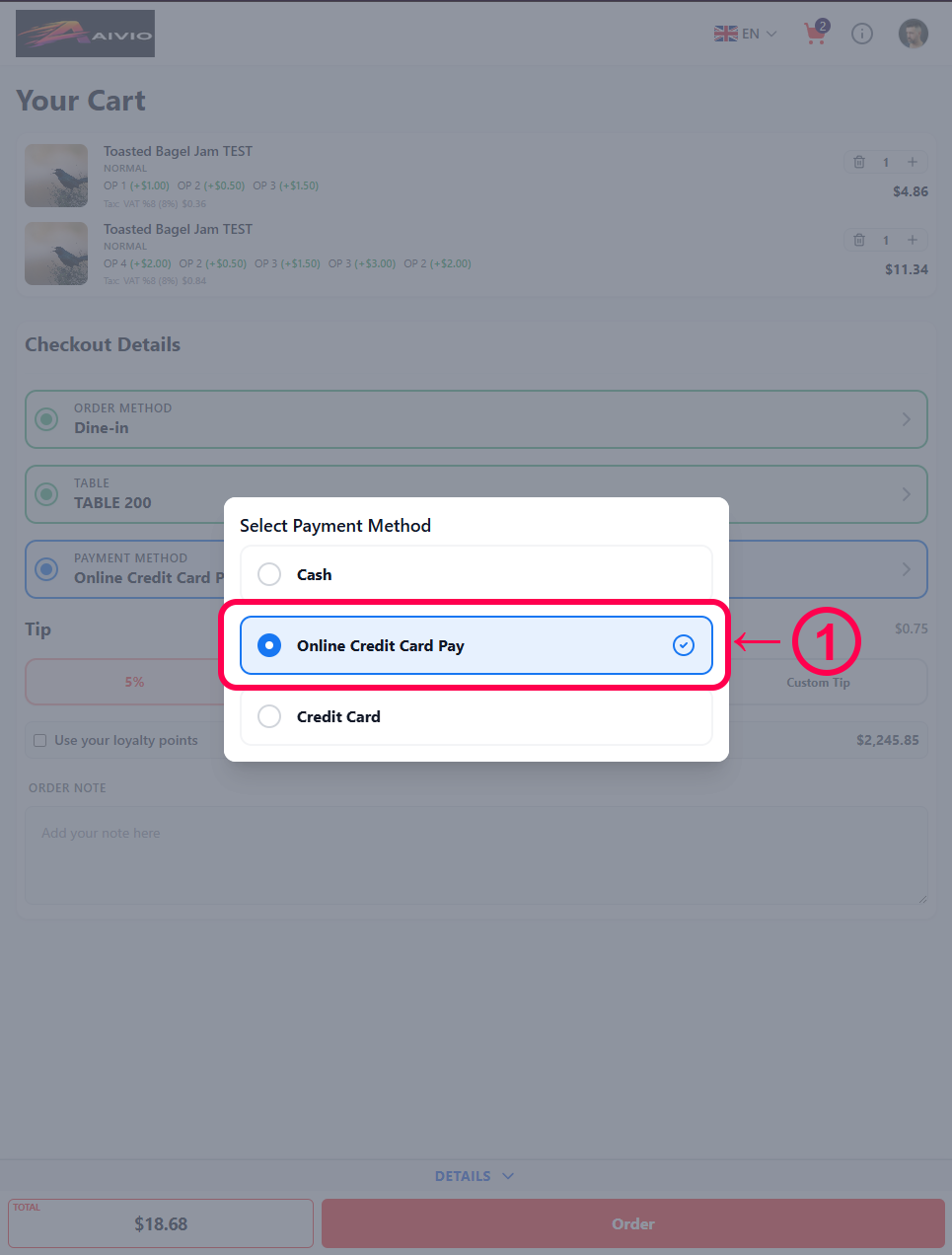
- Select Online Credit Card Pay from the payment methods.
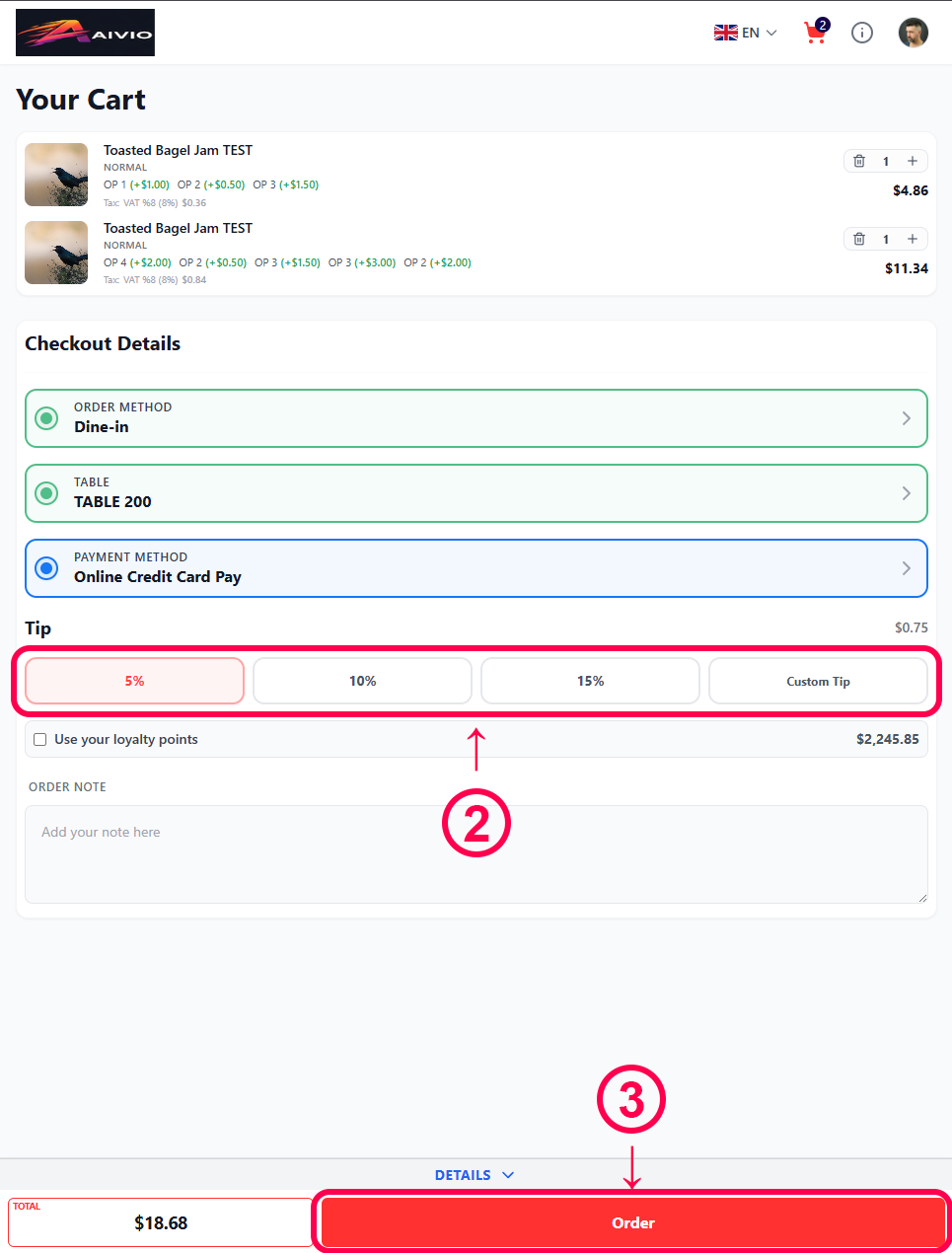
- Optionally, select a tip amount.
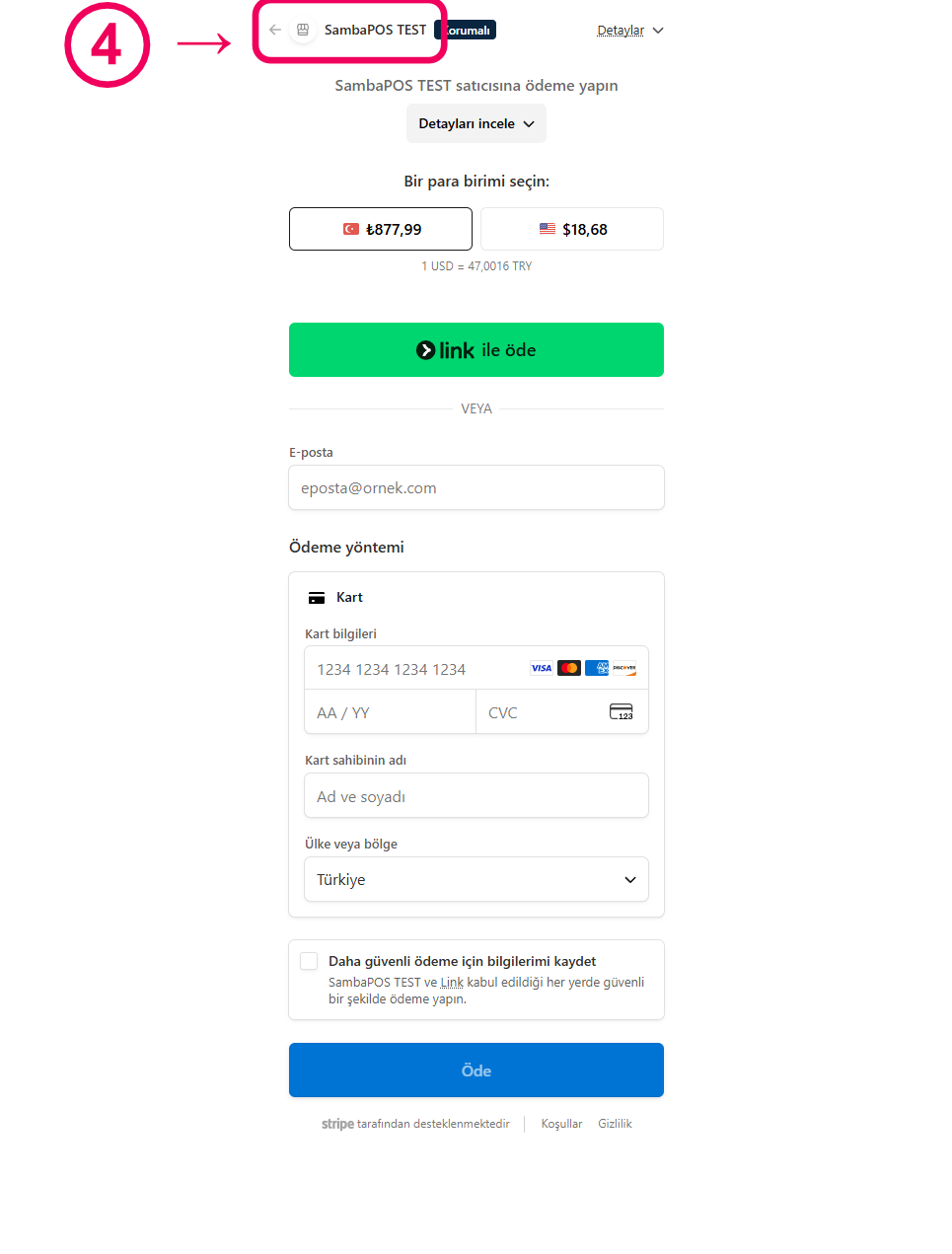
- Once everything looks good, press the Order button. You will be redirected to the Stripe payment screen.
- If you are on the Stripe payment page and wish to return to the app without completing the payment, use the back button.
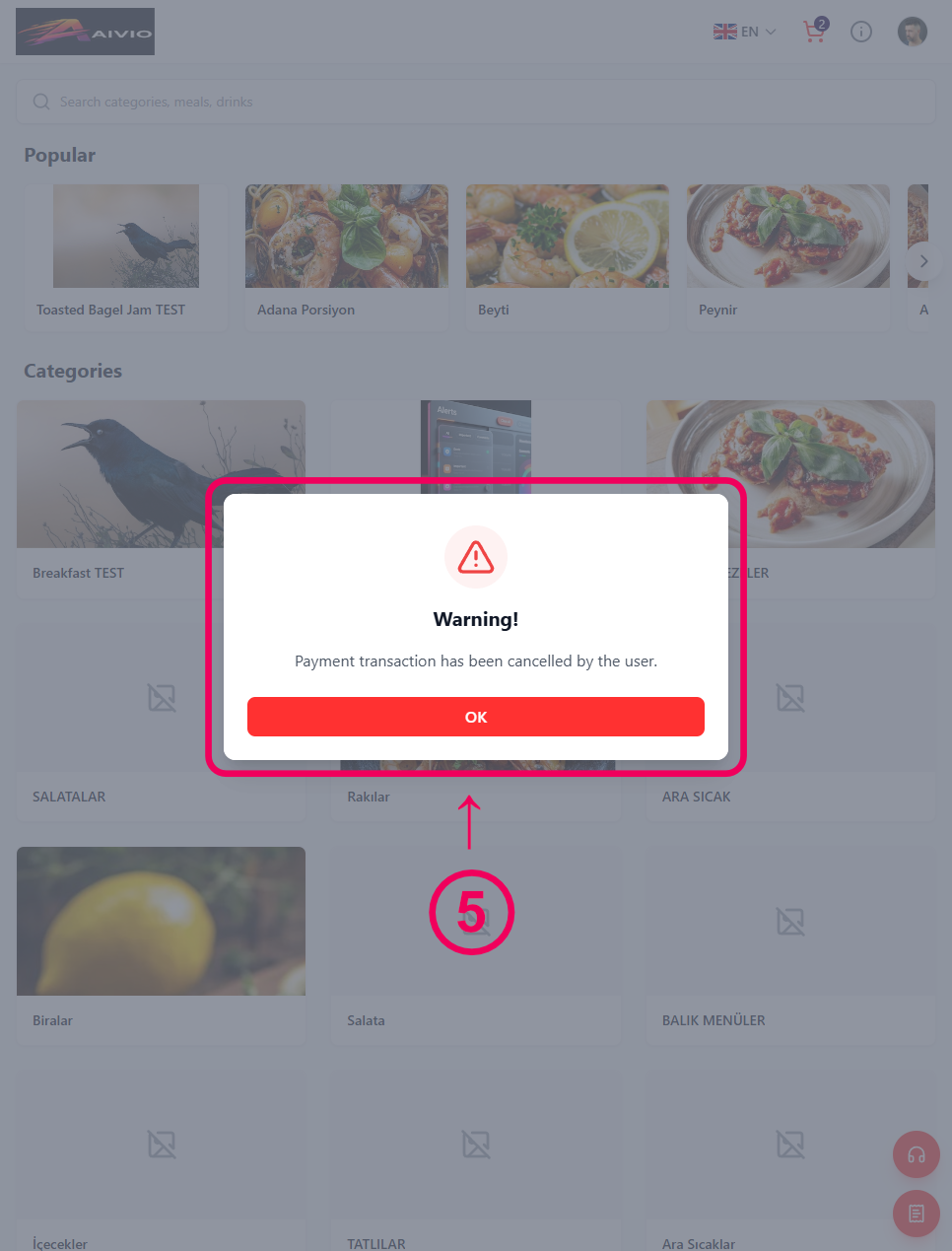
- If you return to the app without making a payment, a warning modal will appear notifying you that the transaction was cancelled.
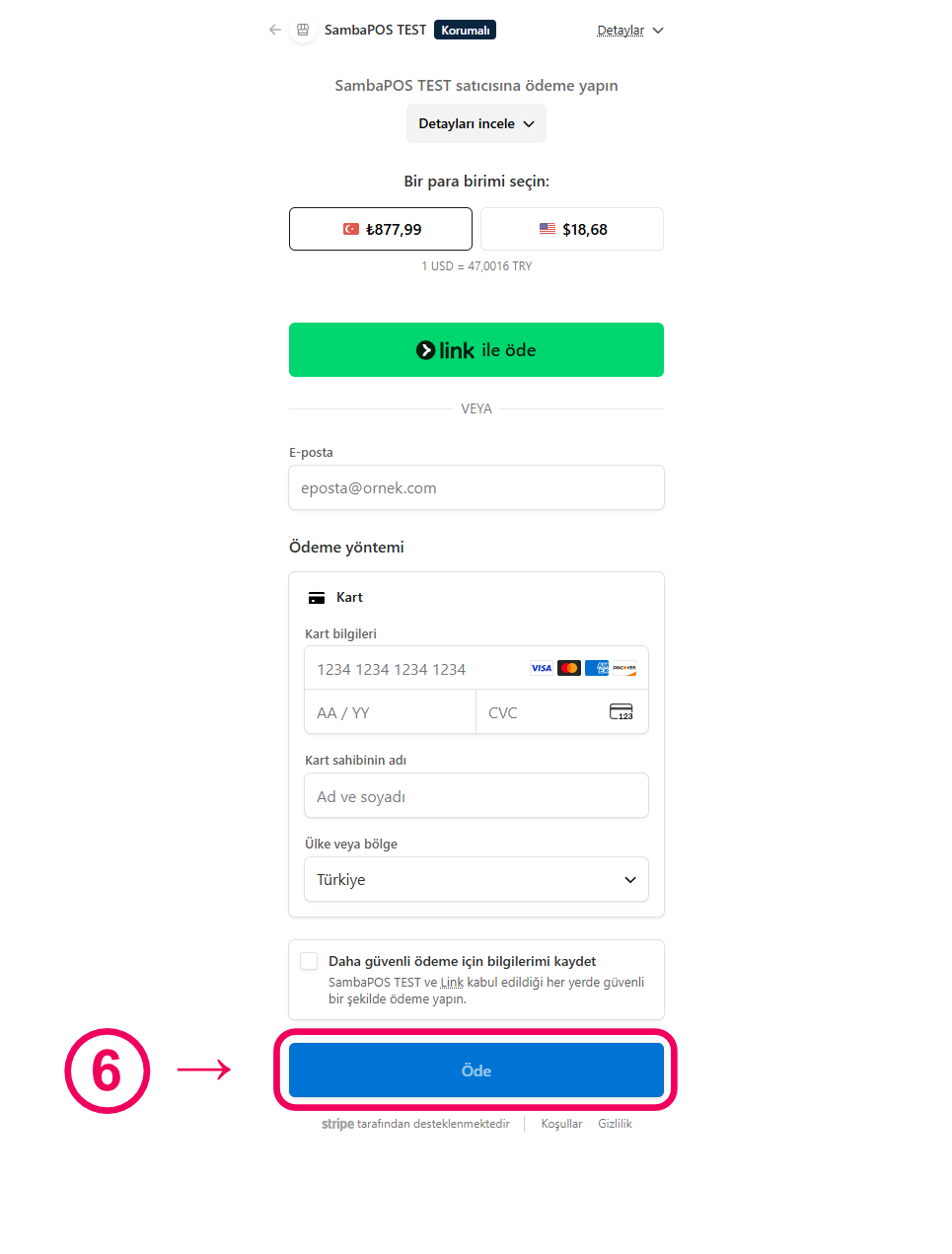
- To complete the payment, fill in the required fields on the Stripe payment page and click the Pay button. Once the transaction is complete, you will be redirected back to the app.
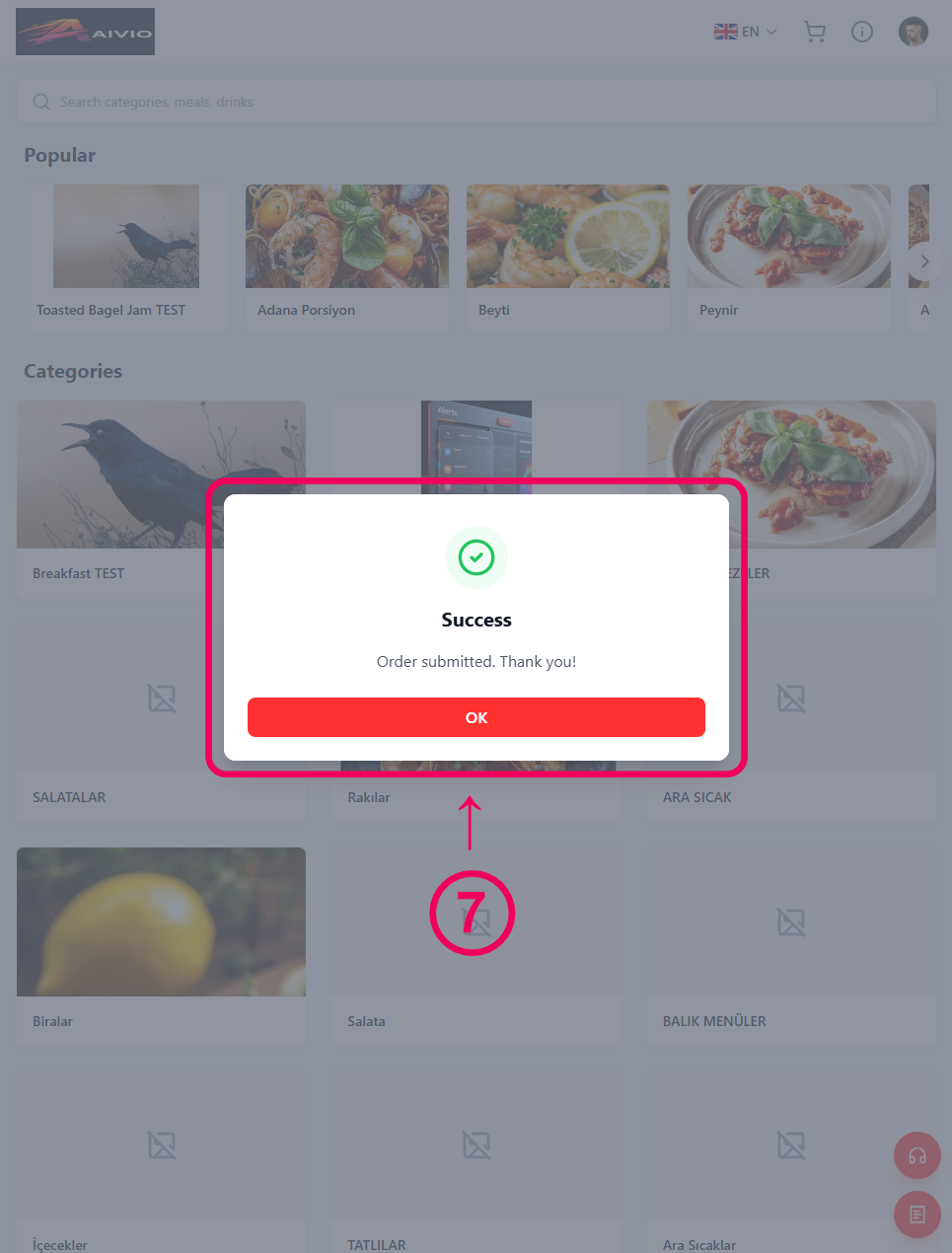
- After a successful payment, a confirmation modal will appear notifying you that your order has been submitted.