¶ Dine-In
On this page, you can set up your Dine-In.
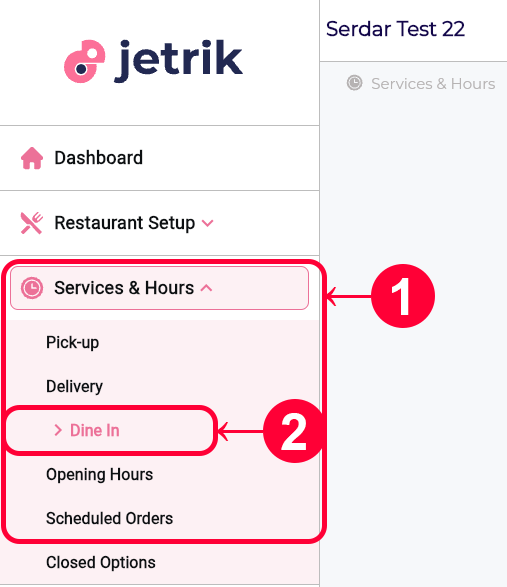
- From the left Sidebar, open the Services & Hours drop-down menu
- Access the Dine In page
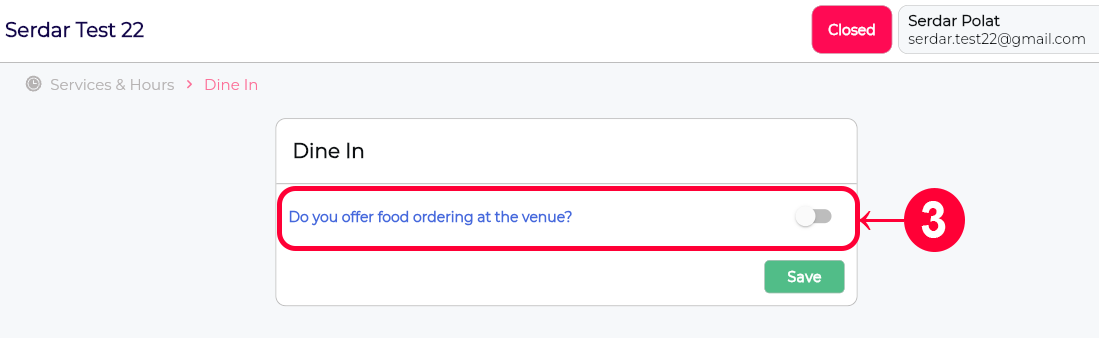
- By default, your restaurant’s Dine In service is off. In this case, the user is informed that your restaurant does not serve food at the venue. To change this, activate the “Do you offer food ordering at the venue?” switch on the page.
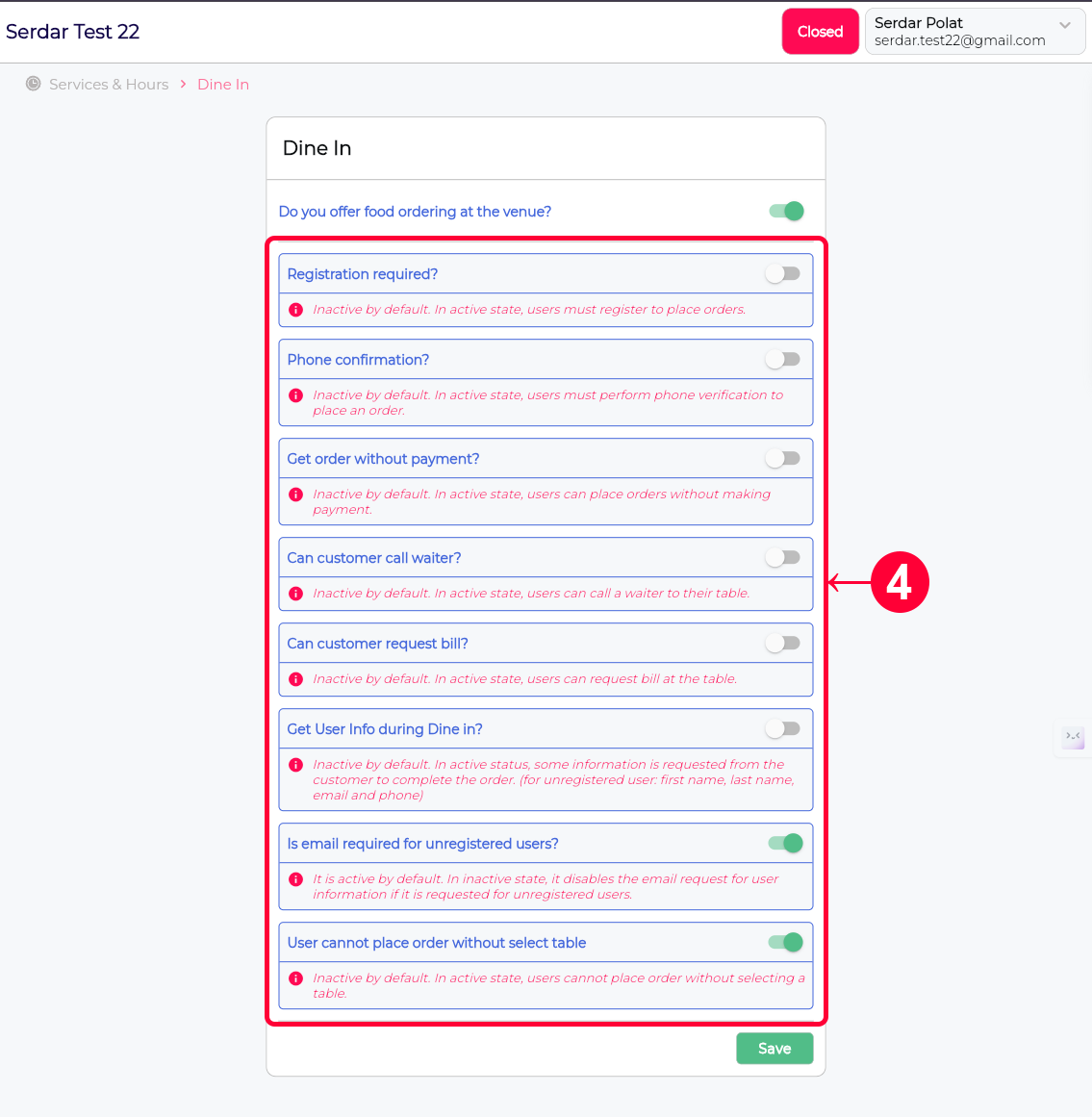
- From the submenu that opens, you can make the necessary settings by activating or deactivating the switches to select the options that are suitable for you. The necessary information for each setting is added to the page.
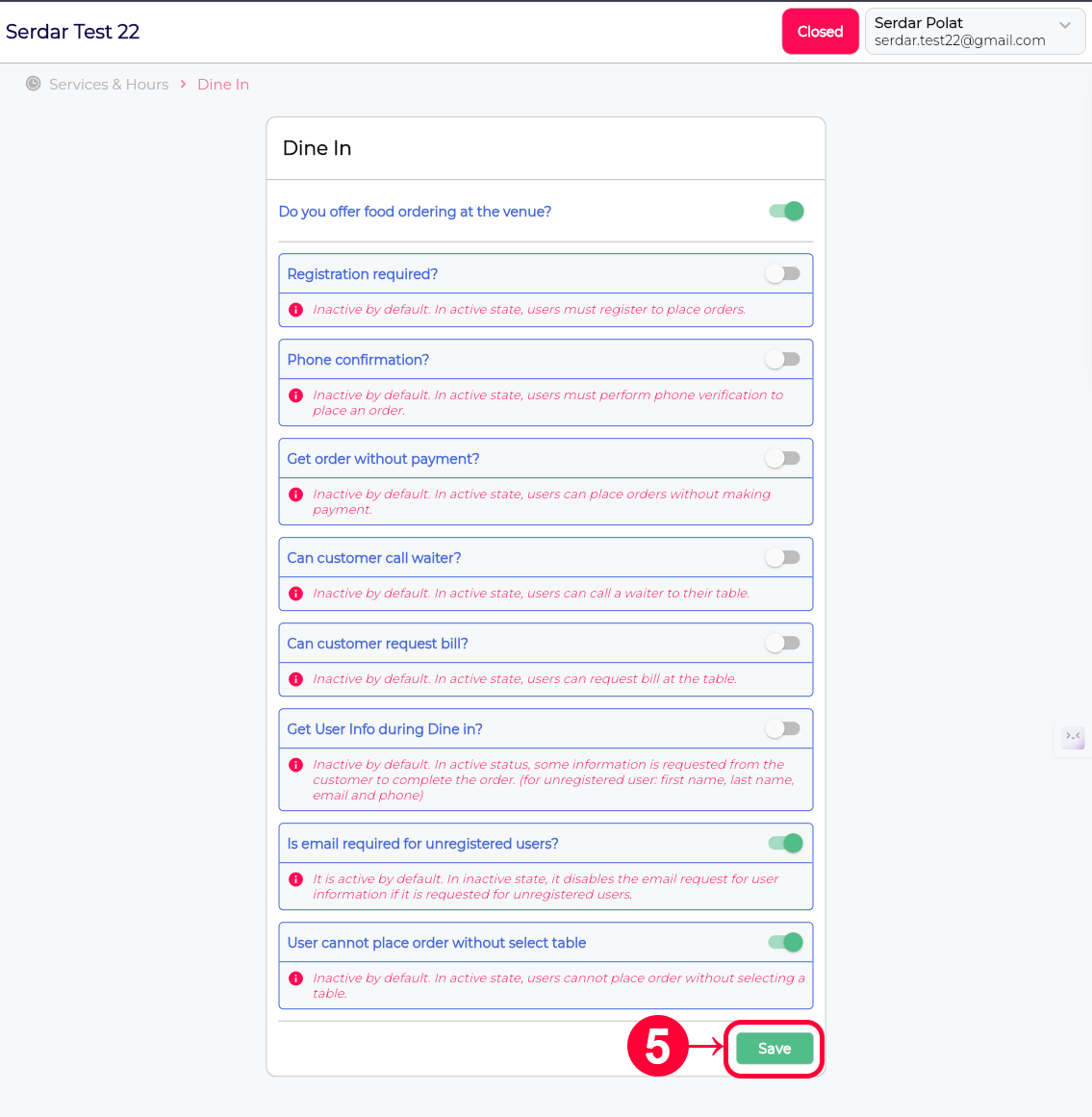
- Don’t forget to click the Save button to save the changes.