¶ Delivery
On this page, you can set up your Delivery.
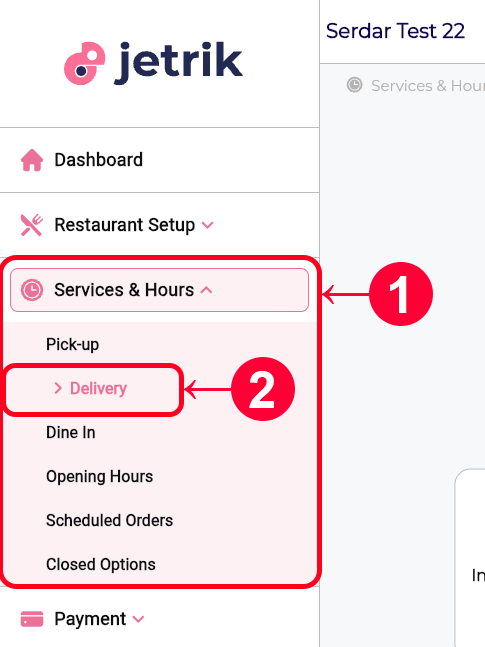
- From the left Sidebar, open the Services & Hours drop-down menu
- Access the Delivery page
- If you have not configured your Restaurant Setup > Location settings, you will not be able to configure your Delivery settings. Therefore, you will see a warning prompting you to complete your Location Settings.
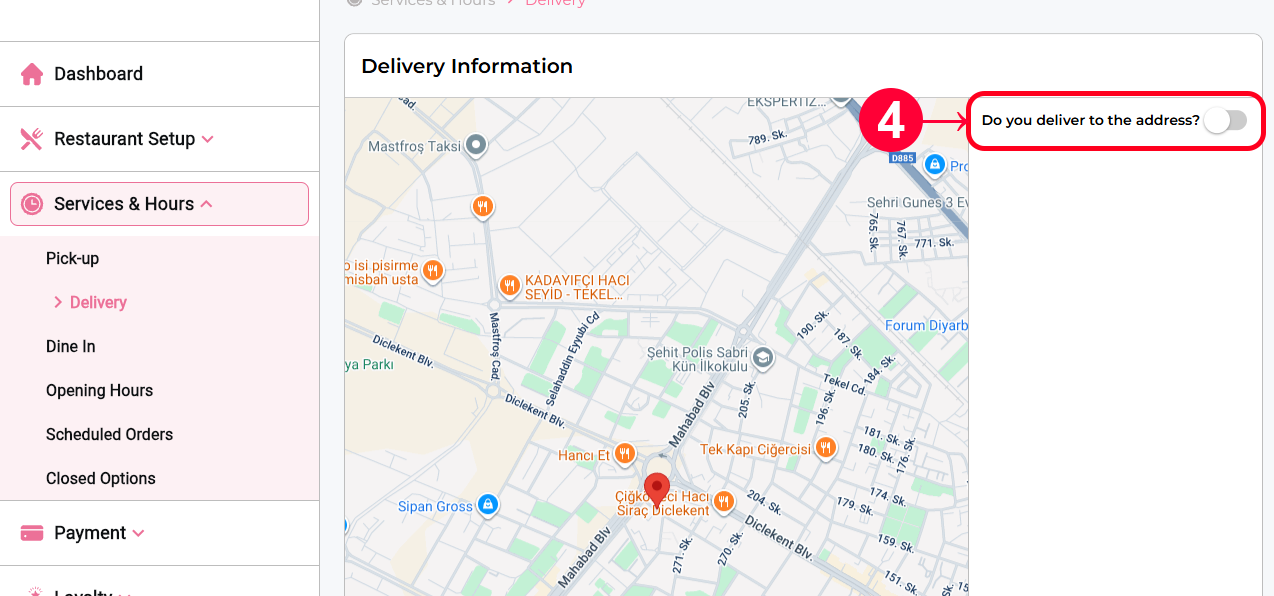
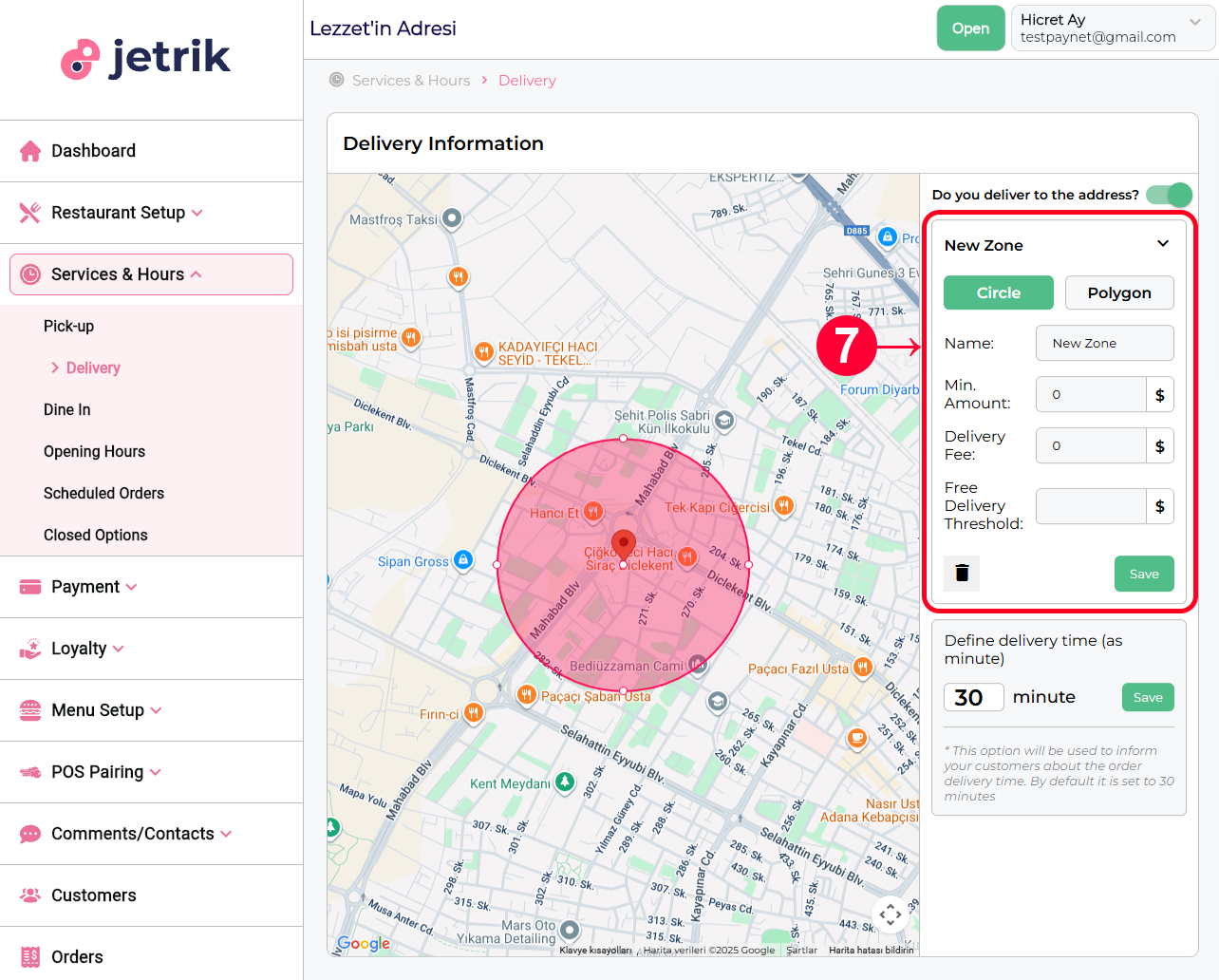
- By default, your restaurant's Delivery service is off. In this case, the user is notified that your restaurant is not offering food delivery. To change this, enable the "Do you deliver to the address?" switch on the page.
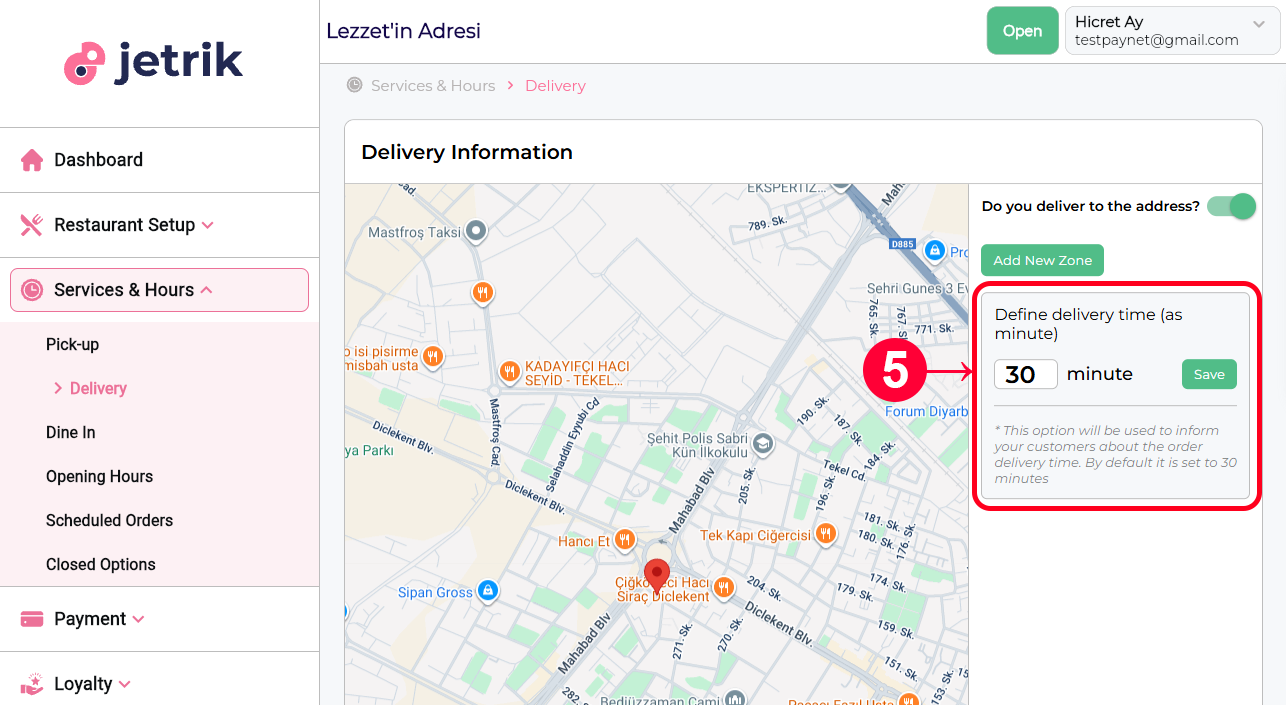
- In the submenu that opens, you can specify the delivery settings (Delivery zones and Delivery time). The default delivery time is set to 30 minutes. To change this, enter the desired number in the box and then click the Save button. Remember that the number you enter will be evaluated in minutes.
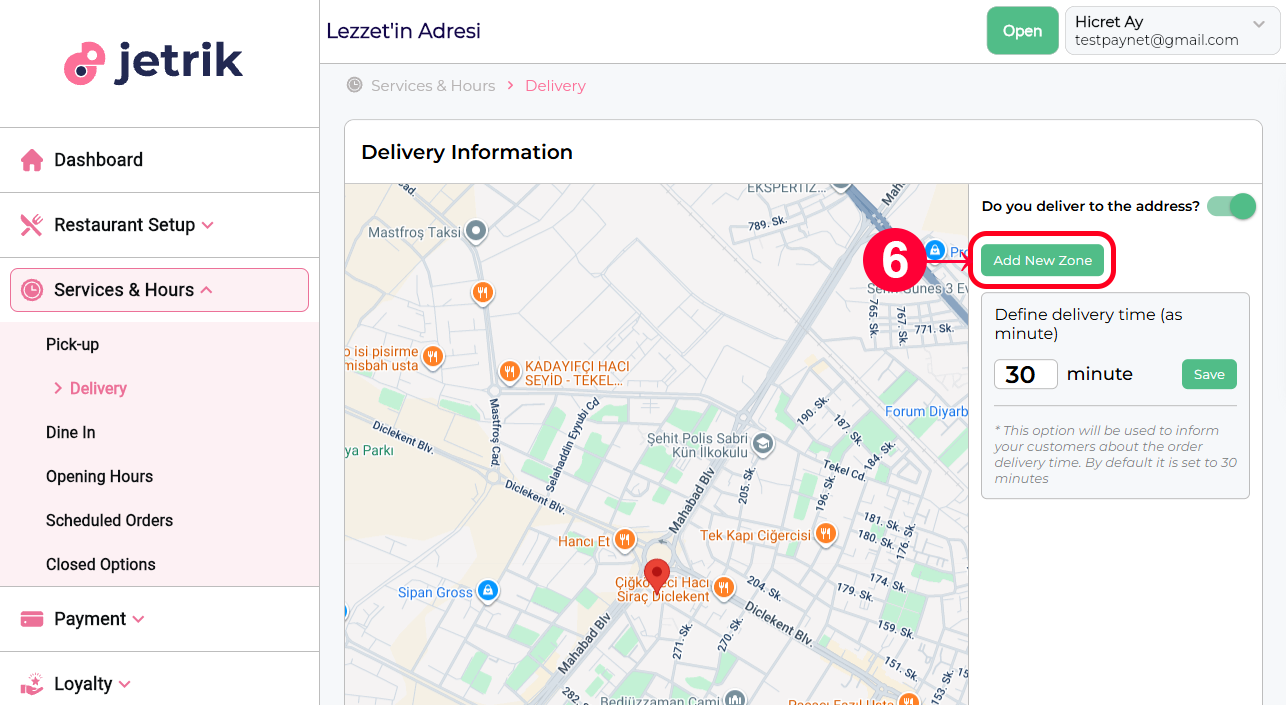
- To add a new zone, you can click the Add New Zone button and make the necessary settings in the form that opens.
- Zone Settings:
- Circle or Polygon: here you can select and edit the shape of the zone.
- Name: Name of the zone
- Min Amount: Minimum order amount for this zone
- Delivery Fee: Delivery fee for this zone
- Free Delivery Threshold: How much order is placed for this zone without a delivery fee?